Omni CMS
Omni CMS Training and Support
Editing, Building and Managing Web Content in Omni CMS
Using Omni CMS
- Support Ticket Form
Where to Start
- Request Access
- Submit a Support Ticket
- Best Practices
- Style Guide/Guidelines
- Contact Us
Training Documents
Editing Content
Formatting Content
New Content
Working with Documents (PDFs, WORD, etc.)
Working with Images
Move, Recycle, Rename, Revert
Omni CMS Tools, Resources and Guidelines
Web Policies and Standards
- Template Requirements and Guidelines
- Web Addresses & Third Party Links
- Content Ownership, Accuracy and Links
- Front Page Content
- Duplicate Content
- Metadata
- Outside Content
- Privacy & Copyright
Complete Web Policies and Standards
Guidelines, Accessibility and Usability
- Site Architecture, Naming and Navigation
- Links, File Names & Email Standards
- Branding
- Acceptable Use Policy
- UT Tyler Accessibility Policy
- UT Tyler Linking Policy
- UT Tyler Privacy Policy
- UT Tyler Required Links
- State of Texas Web Accessibility Guidelines
Complete Accessibility, Usability Guidelines
Frequently Asked Questions
- How do I get access to Omni CMS to update my website?
If you are needing access to update content with Omni CMS, please have the website owner (department head) contact the Web team. We will need the URL(s) of the site you need access to. New users are required to attend basic training for Omni CMS.
- What if my password doesn't work, or I forgot it?
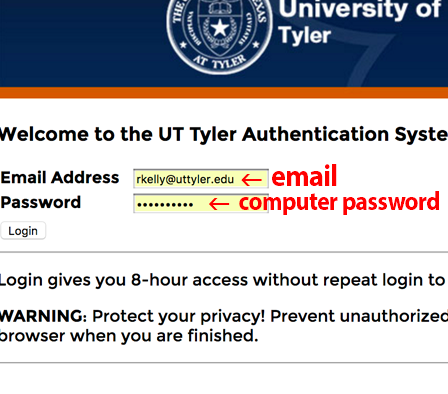
To log in to Omni CMS you will use your email address and password used to check email and log in to your computer. You can change your password by visiting the IT Support webpage. The Web Team can no longer assist with password updates.
- How do I edit a faculty page? The pages were previously located in my "faculty" folder,
but are no longer there.
The faculty pages are now set up in a folder called "directory". To edit a faculty page, navigate to the faculty page in your browser. For example: www.uttyler.edu/directory/biology/bill.php.